If you find that you often need to pair the Welch Allyn unit with DS smart®, some settings can be adjusted to alleviate this. This guide will show you how to prevent the Connex Spot Monitor (CSM) from powering down and breaking the connection.
| 1. Starting on the Welch Allyn unit's home screen, select the Settings tab at the bottom of the screen. | 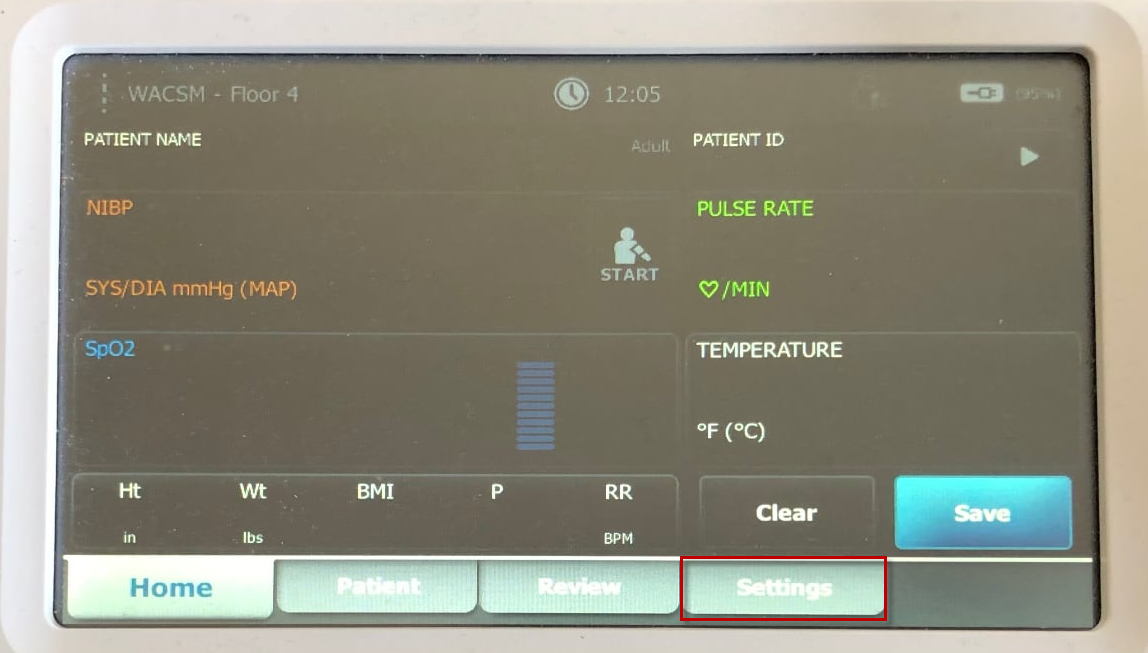 |
| 2. Select the Device tab on the left. | 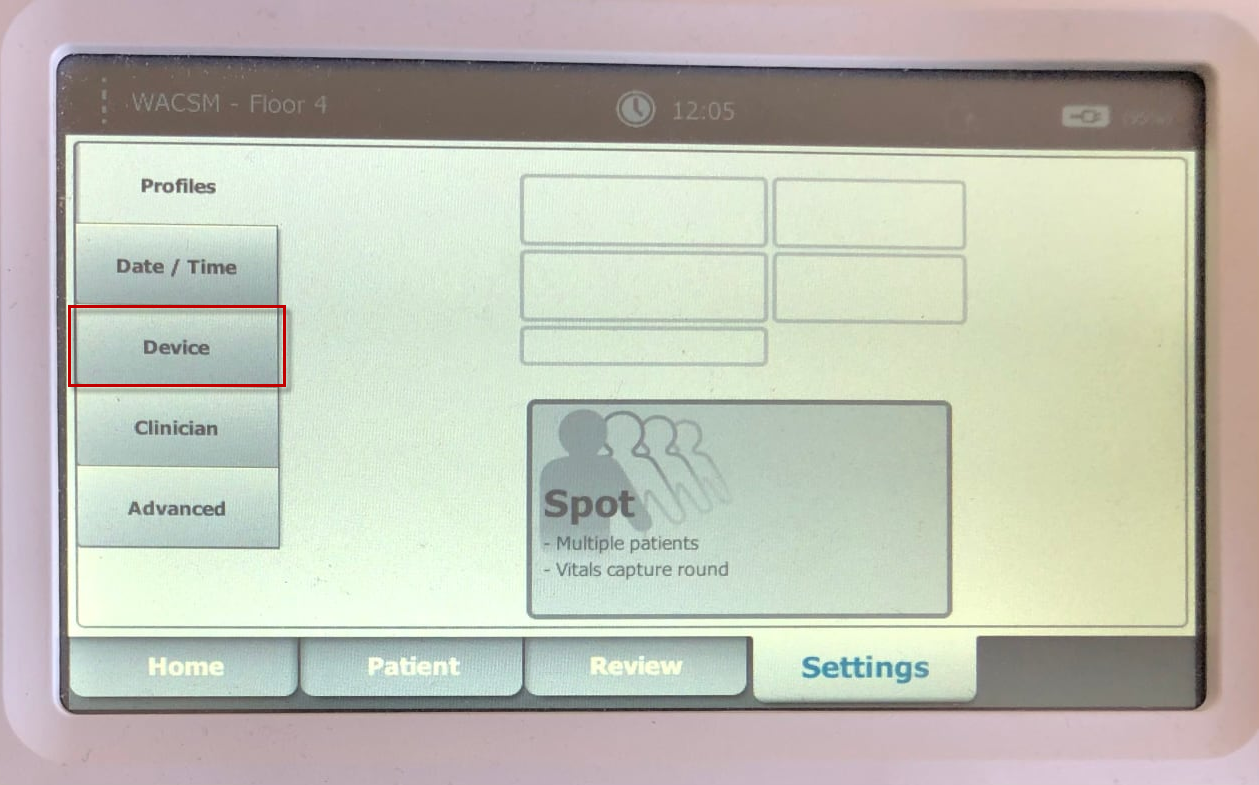 |
| 3. Uncheck the box next to the Allow automatic shutdown to deselect it. | 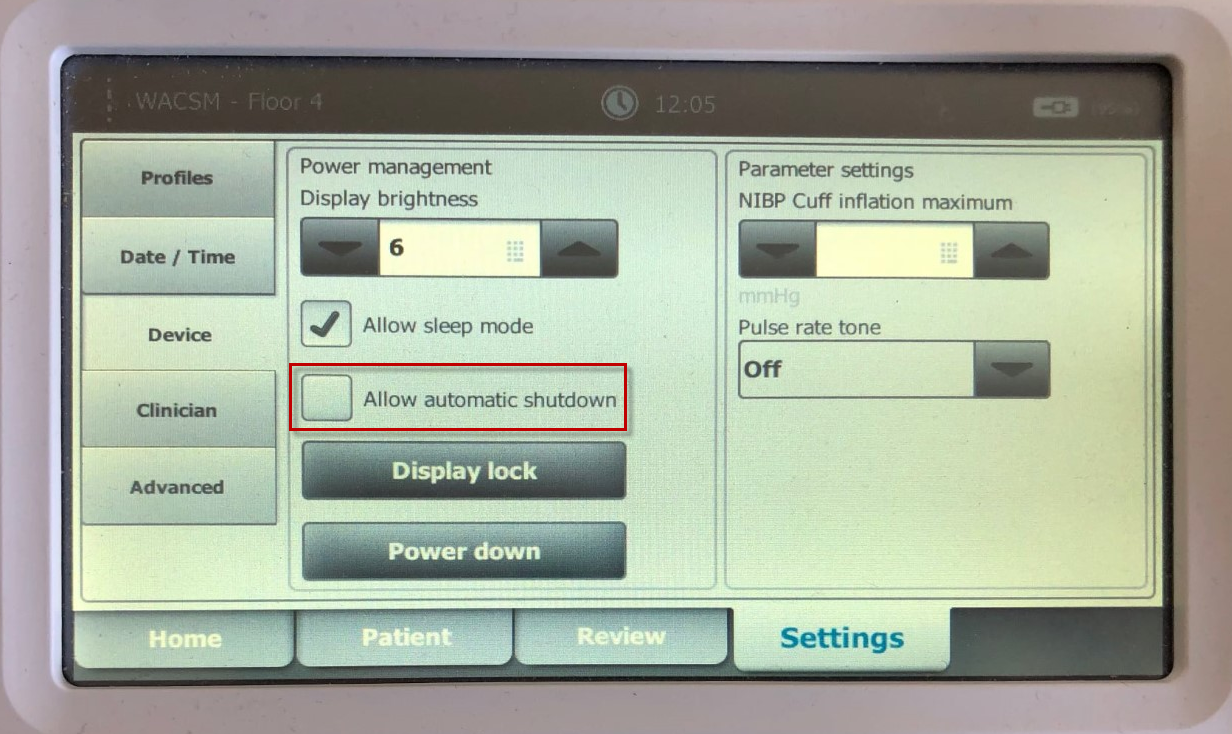 |
| 4. Select the Home tab at the bottom to return to taking vitals. | 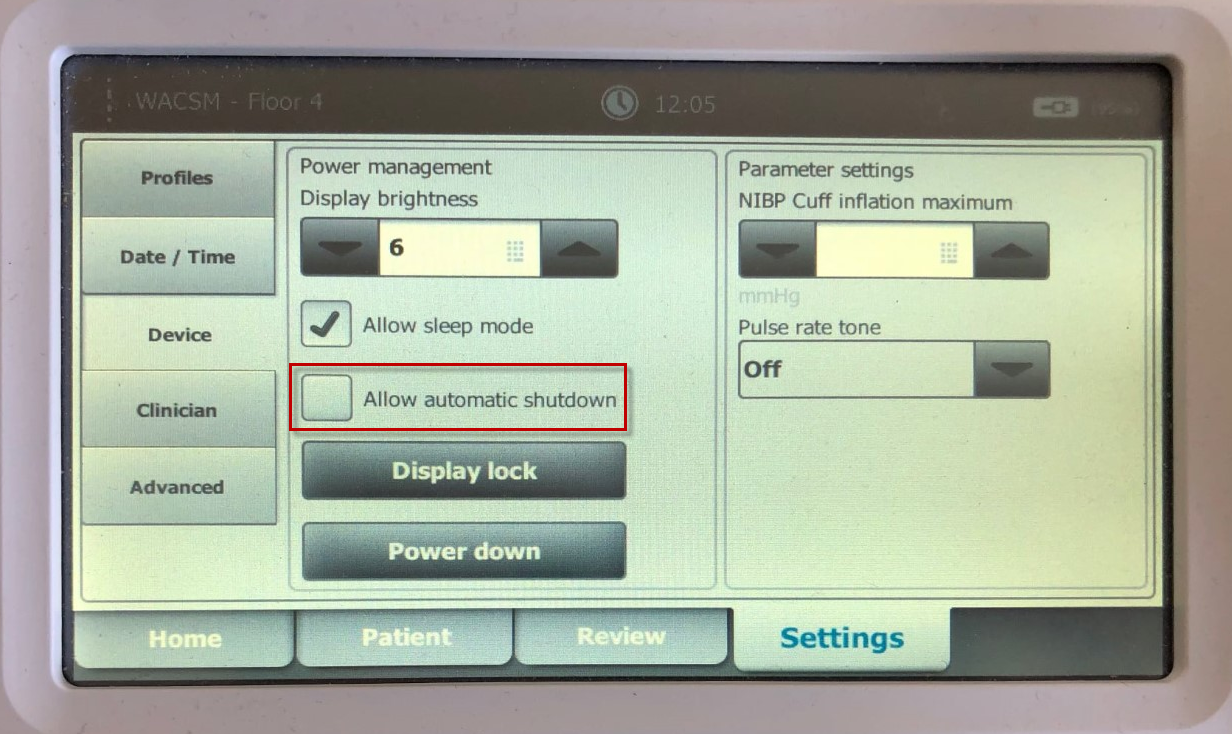 |
After you've turned off Allow automatic shutdown, the Welch Allyn CSM unit will only power down when manually turned off or if the battery dies. Keep the unit plugged in and charging to ensure you have enough power when you need it.