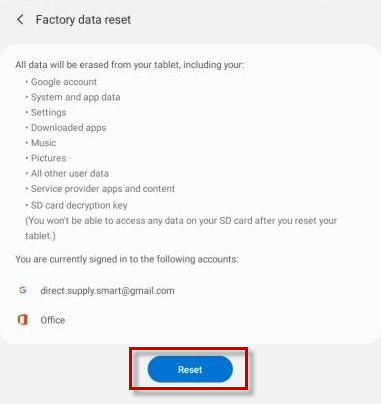
Occasionally, a Samsung tablet may require a factory reset. The tablet may first need to be removed from or placed on a temporary Knox Profile by the DS smart® team; otherwise, the Settings menu may not show the factory reset option.
Please note that in different Android versions, the menu names and locations may be different than what is shown in the images below.
Note these instructions apply to Samsung tablets only.
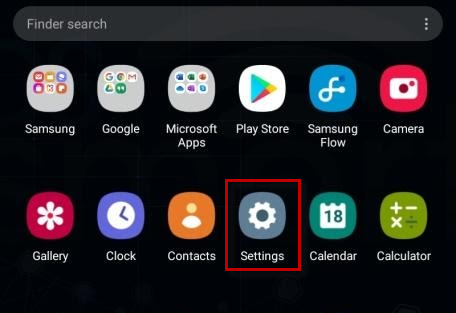
| 1. Select Settings (gear icon). |
|
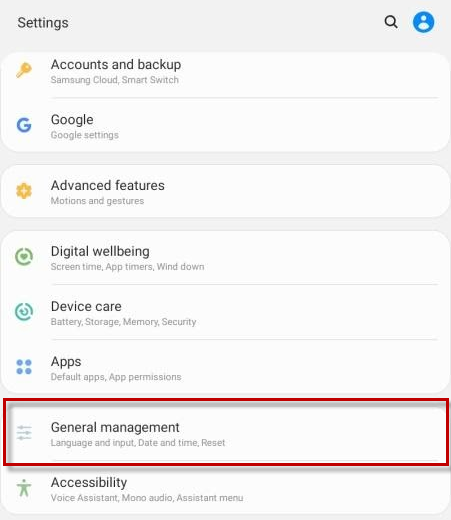
| 2. Select General Management. |
|
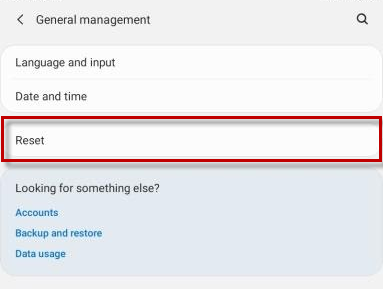
| 3. Select Reset. |
|
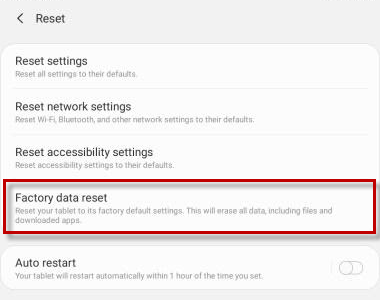
| 4. Select Factory data reset. |
|
| 5. Select Reset. |
|